Install the instruments.
Sign in to your bitsnacks account, open Bitsnacks Vending Machine and start the free 14-day Voltage Synths trial or install your existing access. Restart your host after installation.
USER GUIDE Three software instruments
Thank you for choosing Voltage Synths. Pick an instrument and make it yours.
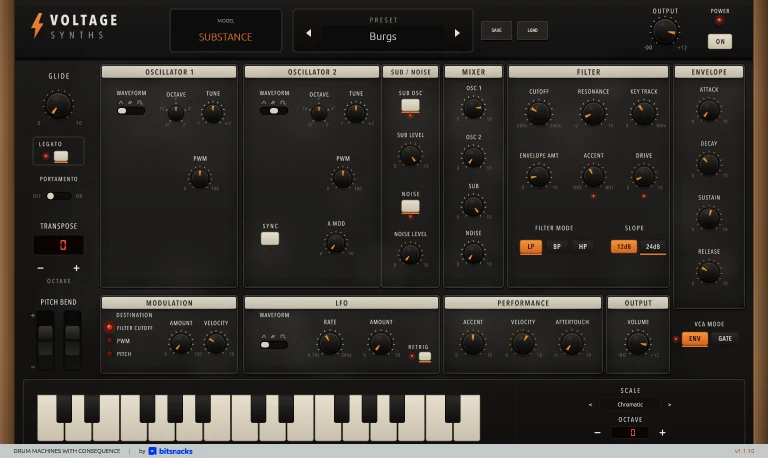
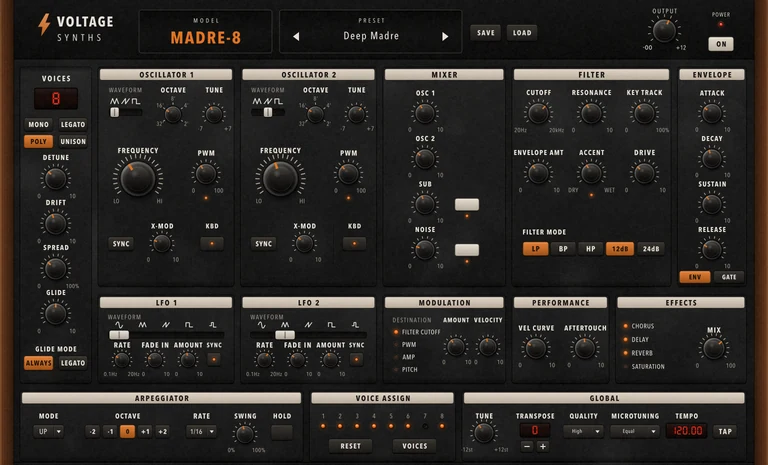
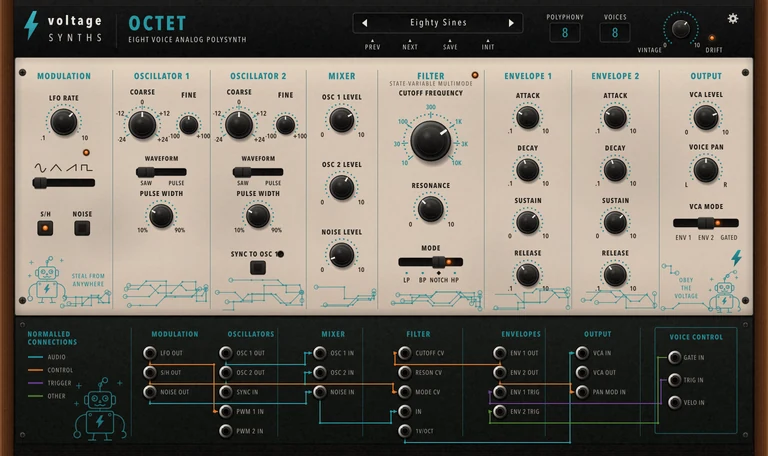
Substance supplies the direct mono voice. MADRE-8 turns that foundation polyphonic. Octet takes a different route through oscillator movement and filtering.
For Voltage Synths 0.1.6 and Substance 1.1.5 on macOS, in Audio Unit / CLAP / VST3.
From an empty track to a playable patch
Sign in to your bitsnacks account, open Bitsnacks Vending Machine and start the free 14-day Voltage Synths trial or install your existing access. Restart your host after installation.
Create a stereo instrument track and select Substance, MADRE-8 or Octet in your host. Send MIDI to the track and enable monitoring. The MODEL label identifies the instrument you loaded.
Use the arrows beside the preset name. The bank follows the selected instrument, so every starting point loads the correct complete control set.
Use Substance for mono bass or lead. Reach for MADRE-8 when a direct polyphonic sound is needed. Choose Octet for animated filter and oscillator movement.
Set oscillator balance before the filter. Adjust the envelopes for articulation, then add modulation or voice movement.
The host stores the selected instrument and the full parameter state. Give the track a name that includes the instrument and musical role.
Separate instruments in your host
Substance concentrates on one note at a time. Its oscillators and ladder filter cover weighty bass, short plucks and expressive leads.
Bass · sequences · plucks · leadsChoose the ladder-based polyphonic voice for warm pads, broad chords and a direct oscillator-to-filter path. Unison turns the voice pool toward one note.
Chords · pads · unison linesChoose Octet when oscillator interaction or the continuous filter-mode sweep should lead the sound. It is especially useful for vocal movement and hollow colour.
Moving pads · sync tones · filter sweepsIn each directly loaded instrument, MODEL is a label. Open another instrument from the host when a track needs a different voice.
The combined Voltage Synths plug-in remains available for saved projects. In that rack, clicking MODEL cycles through the instruments and changes the panel. Keep the rack instance in an existing session to retain its sound and automation.
The monophonic foundation
Detune the oscillators gently for weight. Use sync or cross-modulation when the harmonic motion should be obvious.
Balance the mixer first, then use Drive and Resonance. Choose a low-pass or band-pass response, or move to high-pass. Each mode offers two slopes.
Glide and legato shape note changes. Velocity and aftertouch turn the same patch into a different performance.
The direct voice becomes polyphonic
Each oscillator offers triangle and saw shapes, plus square. Tune their octave and fine relationship, then set pulse width or stronger cross-modulation only where the sound needs extra movement. The mixer adds sub and noise before the ladder filter.
Two LFOs can run freely or follow host tempo. Route modulation to cutoff or pulse width. Amplitude and pitch are available too. Velocity and aftertouch add playing response while preserving the patch.
Eight complete specialist voices
The main mode control travels continuously from low-pass through notch, then reaches high-pass. Band-pass has its own selection.
Set LFO rate and waveform for repeatable movement. Sample-and-hold or modulation noise creates stepped variation.
Vintage adds repeatable voice variation. Voice Pan and the output controls decide how the eight voices occupy the stereo field.
Factory sounds · MIDI · the host
| Instrument | Factory sounds | Useful first choices |
|---|---|---|
| Substance | 10 | Burgs · Goanna · Drive-Thru |
| MADRE-8 | 8 | Amber Poly · Copper Fanfare · Slow Current |
| Octet | 10 | Hearth Brass · Night Choir · Glass Current |
Projects and practical recovery
The host stores the loaded instrument and its sound. A combined Voltage Synths rack also keeps the selected MODEL and the stored controls for its other instruments.
Automate musical controls through the host. Keep stepped switches on clear boundaries and audition large filter or level moves in context.
Confirm that the track is an instrument track with stereo output, monitoring is active and MIDI reaches the selected instance. Try a factory sound before tracing a custom patch.
Read any licence notice, then open Bitsnacks Vending Machine to check the trial and installation for this device. Choose Repair if offered, restart the host, then reopen the project.
Send the host name and version, plug-in format, operating system, loaded instrument and the shortest steps that reproduce the problem. For a sound question, include the MIDI part and factory sound you started from.